
Download Zing Coach – AI‑Powered Personalized Fitness Training
Overview of Zing Coach
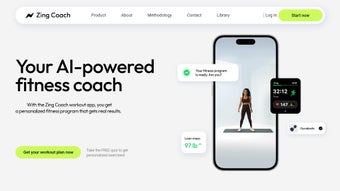
Zing Coach is a next‑generation fitness application that leverages artificial intelligence to create truly personalized workout programs. Unlike generic training apps, Zing Coach starts by scanning your body composition, measuring lean‑mass and fat‑mass percentages, and evaluating your current fitness level. This data feeds a proprietary algorithm that designs daily routines tailored to your specific goals—whether you aim to lose weight, build muscle, improve endurance, or simply stay active.
The AI engine continuously learns from your feedback, adjusting intensity, exercise selection, and rest periods in real time. In addition to the workout engine, Zing Coach integrates a motion‑tracking Fitness Test that verifies form, reducing injury risk and ensuring each rep counts. Nutrition isn’t an afterthought; the app calculates your daily caloric needs, suggests macro‑balanced meals, and syncs seamlessly with Apple Health, Google Fit, and other health platforms.
The result is a comprehensive, secure, and constantly evolving personal trainer that lives on your smartphone, tablet, or desktop. Whether you’re a beginner who needs step‑by‑step guidance or an experienced athlete seeking data‑driven optimization, Zing Coach offers a free‑to‑try version with optional premium upgrades for deeper analytics, exclusive exercise libraries, and advanced diet planning. Its sleek interface, cloud‑backed progress tracking, and regular software updates make it a reliable companion for anyone serious about achieving lasting fitness results.
Key Features and How to Install Zing Coach
- AI‑Driven Workout Generator: Uses real‑time body data to craft daily plans.
- Body Composition Scan: Measures lean mass, fat mass, and provides actionable insights.
- 400+ Guided Exercises: Video‑backed routines covering strength, cardio, flexibility, and mobility.
- Motion‑Tracking Fitness Test: Real‑time form correction using device sensors.
- Personalized Nutrition Calculator: Daily calorie and macro recommendations.
- Apple Health & Google Fit Integration: Syncs steps, heart rate, and sleep data.
- Progress Dashboard: Visual charts of weight, body fat, strength gains, and workout adherence.
- Adaptive Learning Engine: Adjusts intensity based on user feedback and performance trends.
- Secure Cloud Backup: Keeps your data safe and accessible across devices.
- Regular Free Updates: New exercises, UI improvements, and AI enhancements delivered automatically.
Installation & Usage Instructions
Downloading Zing Coach is straightforward and secure. Follow these steps to get started:
- Choose Your Platform: Visit the official Zing Coach website or your device’s app store (Apple App Store, Google Play Store, or Microsoft Store for Windows). The app is free to download with optional in‑app purchases.
- Download & Install: Click “Download” or “Get.” The installer verifies the package signature to ensure it’s authentic and free from malware. On Windows or macOS, run the .exe or .dmg file and follow the on‑screen prompts.
- Create an Account: Launch the app and register using an email address or social login (Apple, Google, or Facebook). A verification email confirms your identity and secures your profile.
- Complete the Body Scan: Use your device’s camera or a compatible Bluetooth body composition scale. Follow the guided steps: stand still, stay hydrated, and allow the AI to calculate lean and fat mass.
- Set Your Goals: Choose from predefined objectives (weight loss, muscle gain, endurance) or define custom targets. The AI will ask about preferred workout length, equipment availability, and daily schedule.
- Start Your First Session: The app delivers a video‑guided warm‑up, then proceeds with the personalized routine. Use the motion‑tracking feature to receive live form corrections.
- Track Nutrition: Input meals manually or enable automatic logging through Apple Health. The AI adjusts future calorie targets based on actual intake.
- Review Progress: Access the dashboard any time to see trends, compare past workouts, and receive motivational insights.
- Upgrade (Optional): If you want deeper analytics, exclusive premium workouts, or one‑on‑one virtual coaching, tap “Upgrade” in the settings menu. Premium plans are billed annually or monthly and include a 14‑day free trial.
Installation typically takes under two minutes on a fast internet connection, and the first body scan completes in less than a minute. The intuitive UI ensures even non‑tech‑savvy users can navigate the app with confidence.
Compatibility, Pros, Cons, and Frequently Asked Questions
Zing Coach is built for cross‑platform compatibility. It runs on iOS 14 or later, Android 9 or later, Windows 10 or newer, and macOS 11 (Big Sur) or later. The mobile app supports both smartphones and tablets, while the desktop version works on Windows laptops, desktops, and Apple Macs. For the best motion‑tracking experience, devices should have an accelerometer and gyroscope (standard on most modern phones) or a compatible webcam for desktop pose estimation. Integration with Apple Health, Google Fit, and Samsung Health ensures that steps, heart rate, and sleep data flow automatically into Zing Coach’s analytics engine.
Pros
- Highly personalized AI workouts adapt to real‑time body data.
- Comprehensive body composition analysis without needing a lab.
- Extensive library of over 400 exercises with video guidance.
- Motion‑tracking reduces injury risk by correcting form on the fly.
- Nutrition calculator aligns diet with workout intensity.
- Seamless health‑app integration (Apple Health, Google Fit).
- Secure cloud backup keeps progress synced across devices.
- Free version provides core functionality; premium adds advanced insights.
- Regular free updates keep the app fresh and secure.
- User‑friendly interface suitable for beginners and athletes.
Cons
- Premium features require a subscription, which may deter budget‑conscious users.
- Full motion‑tracking accuracy depends on device camera quality.
- Body composition scan is less precise than professional DEXA scans.
- Advanced nutrition plans may need manual tweaking for specific dietary restrictions.
- Desktop version lacks some sensor‑based features available on mobile.
Frequently Asked Questions
Is Zing Coach free to use?
Yes, Zing Coach offers a free tier that includes AI‑generated workouts, body composition scanning, and basic nutrition guidance. Premium features such as advanced analytics, exclusive exercise libraries, and personalized diet plans are available through a subscription.
Can I use Zing Coach without a smartphone?
Zing Coach is available for Windows and macOS, so you can run it on a laptop or desktop. However, motion‑tracking and body‑composition scanning work best on devices with built‑in accelerometers and cameras, which are standard on most smartphones and tablets.
How does the AI personalize my workouts?
After the initial body composition scan, the AI evaluates your fitness level, equipment availability, schedule, and personal goals. It then selects exercises, sets, reps, and rest intervals that match your current capabilities. As you complete sessions, the system records performance metrics and adjusts future plans to keep you progressing safely.
Is my personal health data secure?
Zing Coach uses end‑to‑end encryption for all data transmitted between your device and the cloud. Your profile is stored on secure servers compliant with GDPR and CCPA regulations. You can also opt to keep data local on your device by disabling cloud sync in the settings.
What kind of equipment do I need?
Zing Coach offers “bodyweight‑only” programs for users without equipment, as well as routines that incorporate dumbbells, resistance bands, kettlebells, or full gym machines. During setup, you indicate what gear you have, and the AI tailors workouts accordingly.
Overall Rating: 4.6/5
Zing Coach stands out for its truly adaptive AI engine and the depth of its data‑driven approach. The free version is generous, and the premium upgrade feels like a worthwhile investment for serious athletes. Minor drawbacks, such as reliance on device sensors for perfect form tracking, are outweighed by the app’s comprehensive feature set and consistent updates.
Conclusion & Call to Action
If you’re looking for a secure, AI‑powered fitness companion that evolves with your body, Zing Coach is worth the download. Its blend of personalized workout generation, motion‑tracking safety features, and integrated nutrition planning creates a holistic health ecosystem that rivals many paid personal trainers. Whether you train at home, in a gym, or on the go, Zing Coach adapts to your schedule and equipment, delivering results without the guesswork. Start your free trial today, explore the premium features risk‑free, and experience how intelligent training can transform your fitness journey. Click the button below to download Zing Coach and begin the path to a healthier, stronger you.



.png)



